Built around your business
Start with how you operate — chilled deliveries, storage, cooking and hot holding. TapTick proposes the controls, policies, HACCP requirements and checks that fit.
TapTick proposes. You approve. You stay in control.

Food safety management for busy food sites
TapTick helps set up the right food safety system for your business, guides your team through the work each day and keeps the evidence ready when you need it.
No credit card required. Your trial starts with your first live check. Then €25 per active site/month, excluding VAT.
Food safety through a real shift
Built in live food operations, TapTick follows the working day: the right work appears, exceptions stay visible and the evidence builds as the team goes.
From system to shift
TapTick connects what the business needs to control with the checks, actions and evidence people use every day.
Start with how you operate — chilled deliveries, storage, cooking and hot holding. TapTick proposes the controls, policies, HACCP requirements and checks that fit.
TapTick proposes. You approve. You stay in control.
Staff see the work that needs to be done, when it needs to be done, with clear instructions and guidance when a check fails or something goes wrong.
The right work, at the right time, for the right person.
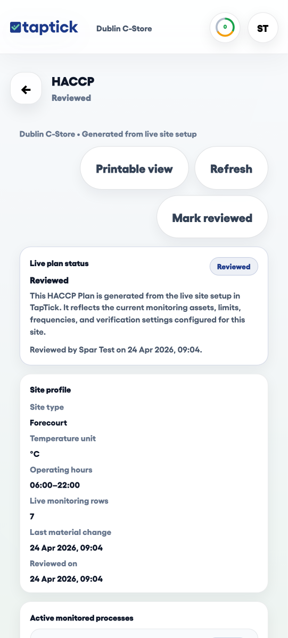
Checks, corrective actions, documents, HACCP information, photos and verification stay connected and ready for managers, auditors or inspectors.
Someone asks for the records? They’re already there.
Already have an FSMS? Use TapTick to digitise the checks, records, corrective actions and evidence you already require. Need help establishing one? TapTick can help with that too.
Clear for everyone
For staff
A calm phone or shared-tablet workflow keeps routine checks simple, even during a busy shift.
For managers
See late, missed, failed or unresolved work without waiting for the folder to be checked later.
For owners and groups
Central teams set the food-safety standard. Sites carry out the work, while head office sees where attention is needed.
Real product, real work
Staff get a calm daily workflow. Managers can still see the plan, exceptions and evidence behind it.


Used in live stores
TapTick is already helping store teams replace paper routines with faster recording and clearer oversight.
TapTick gives me remote visibility of what’s actually happening on site and peace of mind.
Before TapTick we had paper — we’d normally keep the book in one place behind the deli, so every time we went to complete a fridge or coffee machine check, staff would have to walk to get the book, maybe wait if it was being used by someone else, find the page, find a pen, write it in, then walk back to put the book in the right place. Now they just tap it into their phone. And I can see check completions and get alerts if anything needs attention.
Inspection-ready evidence
Bring together checks, corrective actions, documents, HACCP information, photos, verification, product events and site records in one evidence view built for review.
See the full workflowTrust & security
TapTick combines controlled access, trusted cloud infrastructure and connected operational evidence so records stay protected, understandable and ready when they are needed.
Explore Trust & SecurityIndividual accounts, site membership and role-based permissions help keep access appropriate.
TapTick uses HTTPS and established managed infrastructure for application and database services.
Checks, actions, comments, photos and resolutions remain connected as a clear operational record.
Try it in your own site
30 days free, no credit card required. Then €25 per active site/month, excluding VAT.
Latest food safety guidance
Before donating surplus food, confirm that it is safe and acceptable, include the donation process in your food safety management system, and keep enough evidence to trace each handover.